
Entende o contexto
Lê a operação, o cliente e o histórico antes de propor qualquer coisa.
Vendas, marketing, atendimento, operação, financeiro e inteligência trabalhando sobre o mesmo contexto — para sua empresa ganhar escala sem perder controle.
Sua empresa inteira. Uma operação. IA trabalhando.
Para empresas de qualquer setor que querem crescer com estrutura, controle e inteligência.
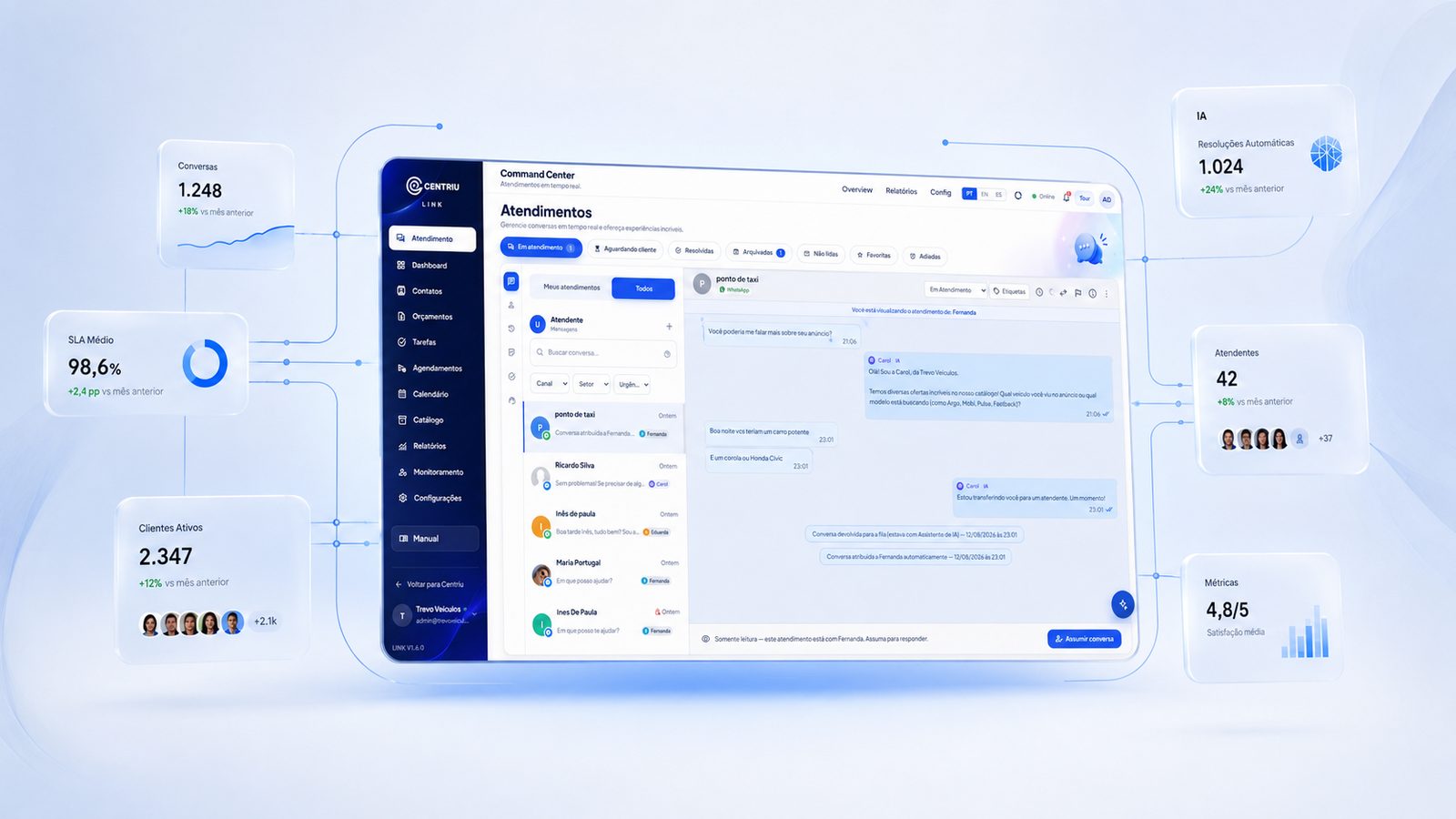
Painel ilustrativo do Sistema Centriu com sete frentes trabalhando: atendimento, comercial, operação, agentes, inteligência, conteúdo e marketing. Cada frente mostra o trabalho concluído ou o próximo passo.
Representação ilustrativa do trabalho em execução
Não é falta de ferramenta. É que cada ferramenta resolve um pedaço, e ninguém é dono do todo. O custo disso não aparece numa fatura — aparece no mês seguinte.
Sistemas que não se falam
O mesmo dado é digitado de novo — e cada cópia conta uma história diferente.
Dados duplicados
Ninguém sabe qual versão é a verdadeira na hora de decidir.
Conversas perdidas
O cliente repete o contexto a cada canal e a cada pessoa.
Tarefas espalhadas
O trabalho vive em planilhas, mensagens e na memória de alguém.
Decisões sem contexto
A escolha é feita com o recorte que estava à mão, não com o que importava.
Automações desconectadas
Cada ferramenta automatiza um pedaço e ninguém enxerga o todo.
Nenhum desses problemas se resolve comprando mais um software. Eles se resolvem quando a operação inteira passa a trabalhar sobre o mesmo contexto.
A Centriu não é uma coleção de produtos. É uma plataforma em que clientes, áreas e agentes leem e escrevem no mesmo lugar.
Cliente 360
Um contexto, não vários cadastros
Cada conversa, tarefa, campanha, cobrança e decisão fica ligada ao cliente e à operação — não a um sistema isolado.
As áreas abaixo são partes da mesma operação, não produtos separados. Elas compartilham conta, permissões e histórico.
A inteligência artificial da Centriu participa da operação: entende contexto, prepara trabalho, executa rotinas e pede aprovação quando importa.
Lê a operação, o cliente e o histórico antes de propor qualquer coisa.
Redige, organiza, calcula e deixa pronto para revisão humana.
Roda o que é repetitivo dentro dos limites definidos pela empresa.
Cruza áreas, identifica prioridade e mostra o motivo da recomendação.
O que é sensível passa por uma pessoa antes de valer. Sem exceção silenciosa.
Registra o que aconteceu e usa o resultado para melhorar a próxima decisão.
Uma plataforma, várias frentes de trabalho. Tudo no mesmo contexto, com a IA participando do que dá para acelerar.
CRM, pipeline, oportunidades, propostas, follow-up e automações.
WhatsApp, Instagram, Messenger, chat do site e e-mail no mesmo contexto.
Tarefas, responsáveis, prazos, aprovações, agenda e capacidade.
Contas, cobranças, caixa, fiscal, margem, IR, orçamento e inteligência econômica.
Planejar, produzir, aprovar, publicar e medir conteúdo e campanhas.
Painéis, alertas, previsões, recomendações e leitura executiva.
Rotinas executadas continuamente pela IA com controle e aprovação.
Diagnóstico, estratégia, transformação, acompanhamento e especialistas.
A Centriu faz sentido quando o volume aumenta e a estrutura precisa acompanhar. Não é sobre setor nem tamanho: é sobre a operação conseguir sustentar o próximo estágio.
As vendas crescem, mas o processo não acompanha.
As áreas trabalham separadas e o cliente sente.
A operação depende de pessoas específicas.
O financeiro ficou complexo e o caixa perde visibilidade.
O atendimento cresce em volume e em canais.
A IA entra sem contexto, controle ou histórico.
Se a empresa ainda não começou a crescer, a Centriu também ajuda a preparar a estrutura para o primeiro salto.
Ver a Centriu funcionandoA Centriu combina tecnologia, inteligência, método e acompanhamento. A consultoria diagnostica, desenha, implanta e acompanha — com evidências, não com apresentação.
Diagnóstico e imersão na operação
Estratégia e prioridades
Roadmap de transformação
Desenho da arquitetura operacional
Implantação conduzida
Acompanhamento com evidências
Benchmarking e leitura de mercado
Especialistas, rede e inteligência coletiva
Uma conversa para entender onde a sua operação perde tempo, dinheiro ou capacidade — e o que a Centriu faria primeiro.
problema
Centriu Axiom's Safety Scanner has three settings. These settings are: automatically scan prompts, automatically scan AI outputs, and block on a high-severity threat. An internal audit found that all three settings saved correctly. They read back correctly. They even had an automated test confirming they persisted. But nothing in the real AI conversation path ever consulted them. The scan function only ever ran when someone manually pasted text into the scanner's own settings page to try it out. The actual prompt and output path never called it. So the "block on high threat" toggle had zero real effect, no matter its setting. Worse, when that manual test scan found a threat, the code logged an audit event saying the content was blocked. This happened even though nothing anywhere in the code had a way to block anything yet. This means the audit trail recorded an action that never happened. The fix adds a single new function. This function is now truly called on both the real prompt and output paths. It is the only code allowed to log a real block. It logs a block only when one truly occurs. There is also a separate fix. It closes a fail-open bug. In this bug, an unrecognized threat severity was silently treated as harmless instead of the opposite.

A settings toggle that saves, persists across reloads, and even passes an automated test proving it persists looks, by every normal measure, like a working feature. Persistence is usually the hard part to get right. A passing test for it is real, reassuring evidence. What a persistence test can't tell you is whether anything downstream actually reads that setting at the moment it matters. A toggle can be perfectly, verifiably saved and simultaneously completely inert. The gap between those two facts is invisible from the settings screen itself. It only becomes visible by tracing whether the real, live code path that's supposed to respect the setting actually asks for its value.
A settings toggle that saves, persists across reloads, and even passes an automated test proving it persists looks, by every normal measure, like a working feature. Persistence is usually the hard part to get right. A passing test for it is real, reassuring evidence. What a persistence test can't tell you is whether anything downstream actually reads that setting at the moment it matters. A toggle can be perfectly, verifiably saved and simultaneously completely inert. The gap between those two facts is invisible from the settings screen itself. It only becomes visible by tracing whether the real, live code path that's supposed to respect the setting actually asks for its value.
The gap was found as part of the same internal audit. This audit rewrote Axiom's proof-of-action mechanism. This is covered on this pillar's companion page. It showed a recurring pattern. A feature not yet fully wired presented itself as complete. For the Safety Scanner specifically, the audit's own account is direct. The three settings (auto-scan prompts, auto-scan outputs, block on high threat) were correctly saved and read. There was a passing persistence test to prove it. But the underlying `scan()` function was only ever invoked from the scanner's own settings page. This happened when a person pasted text in to test it manually. The real AI conversation path never called it at all. This is where prompts are actually sent and responses actually received. No prompt was ever automatically scanned. No output was ever automatically scanned. Nothing was ever actually blocked, no matter what the toggle said.
A second, specific defect made the first one worse. When that manual test scan found a threat, the existing code logged an audit event of type `safety_scan_blocked`. This happened even though, at that point in the code's history, nothing anywhere had an actual blocking mechanism. The audit trail was recording a block that could not have happened. An audit record describing an event that never occurred is worse than a missing record. This is because an audit record is specifically the thing people read as proof something happened.
The fix adds a new function, `scanAndEnforce()`. This function checks the organization's actual setup. It runs the real scan. And, very importantly, it is confirmed by direct check of the current `hooks/useSession.ts` file. It is truly called on both the real prompt-sending path and the real AI-output path. It is not just described as fixed in an old commit message. It is now the ONLY code path in the entire scanner that is allowed to log a `safety_scan_blocked` event. It does so only at the exact moment a block truly occurs. The audit log write is placed before the function causes an error. So the record exists even if whatever calls it does not handle the error. The function also fails closed on a specific edge case. If the scan itself can't be completed for some reason, and the organization's policy requires blocking on high threat, the request is refused. It is not allowed through by assuming no news is good news.
A related, separate defect in the same file was fixed at the same time. The function that figured out a conversation's overall threat level compared detected threats' severity. It used `array.indexOf()` against a fixed list of severities. An unrecognized severity value returns -1 from `indexOf()`. This could be a custom pattern an organization set up with a severity value outside the expected ones, or an old database entry. And -1 is never greater than the starting maximum of 0. So an unrecognized threat was silently ranked as the least severe possible outcome: safe. The fix changes the array-and-indexOf method. It now uses a complete mapping from every valid severity to a number rank. TypeScript's own type system makes sure this mapping stays complete. Any value truly unrecognized when the program runs is now clearly ranked as the MOST severe category. It does not fall through to the least severe.
A single enforcement function is now truly called. It is called from both the real AI prompt-sending path and the real AI-output path. This replaces a scanner that only ever ran from its own manual test page.
That function is now the only code path in the scanner. It is allowed to log a true block event to the audit trail. It does this only when a block actually occurs.
A fail-closed rule is in place. If the organization's policy requires blocking on high threat, and the scan itself cannot be completed, the request is refused. It is not allowed through by default.
A complete severity-ranking structure is now used. This replaces an array-and-`indexOf()` method. That method silently treated any unrecognized severity as the safest possible outcome.
Any truly unrecognized severity value, when the program runs, is now clearly ranked as the most severe category. It does not fall through to the least severe by default.
The audit trail no longer records a block event at any point where blocking could not have actually occurred.
A safety setting an administrator turns on now truly changes what happens to real prompts and real AI responses. It no longer only changes what a settings screen displays. And because the audit trail can now only record a block when a block truly occurred, a compliance reviewer reading that log is reading a description of real events. They are not reading a record that could describe something that structurally never happened.
A safety setting an administrator turns on now truly changes what happens to real prompts and real AI responses. It no longer only changes what a settings screen displays. And because the audit trail can now only record a block when a block truly occurred, a compliance reviewer reading that log is reading a description of real events. They are not reading a record that could describe something that structurally never happened.
Someone sends a prompt containing a pattern the organization has set as high-severity. The "block on high threat" setting is turned on. Before the fix, that setting had no effect on what actually happened. The prompt reached the AI no matter what. This is because nothing in the real path ever checked the setting. After the fix, the same prompt is truly stopped before it reaches the AI. The block is both enforced and honestly recorded. It is not one without the other.
Yes — the three settings saved. They read back correctly. They even had a passing automated test confirming persistence. The defect was that nothing in the real AI path ever consulted the stored values.
A new function is now truly called. It is called from both the real prompt-sending and AI-output code paths. This function now runs the scan and enforces the organization's actual policy. This replaces a scan that only ever ran from the scanner's own manual test page.
When a manual test scan found a threat, the code logged a "blocked" event. This happened even though nothing in the code had a blocking mechanism yet. The audit trail recorded an event that could not have happened.
Threat severity was ranked using `array.indexOf()`. This returns -1 for an unrecognized value. And -1 never beats the starting maximum of 0. So an unrecognized threat was silently ranked as harmless. It now ranks as the most severe category instead.
The request is refused. It is not allowed through. The fix fails closed specifically for this case. It does not assume no scan result means no danger.
It is sold by subscription with a published starting price. Exact current values are on the central pricing page.
Centriu Axiom's Safety Scanner has three settings. These settings are: automatically scan prompts, automatically scan AI outputs, and block on a high-severity threat. An internal audit found that all three settings saved correctly. They read back correctly. They even had an automated test confirming they persisted. But nothing in the real AI conversation path ever consulted them. The scan function only ever ran when someone manually pasted text into the scanner's own settings page to try it out. The actual prompt and output path never called it. So the "block on high threat" toggle had zero real effect, no matter its setting. Worse, when that manual test scan found a threat, the code logged an audit event saying the content was blocked. This happened even though nothing anywhere in the code had a way to block anything yet. This means the audit trail recorded an action that never happened. The fix adds a single new function. This function is now truly called on both the real prompt and output paths. It is the only code allowed to log a real block. It logs a block only when one truly occurs. There is also a separate fix. It closes a fail-open bug. In this bug, an unrecognized threat severity was silently treated as harmless instead of the opposite.